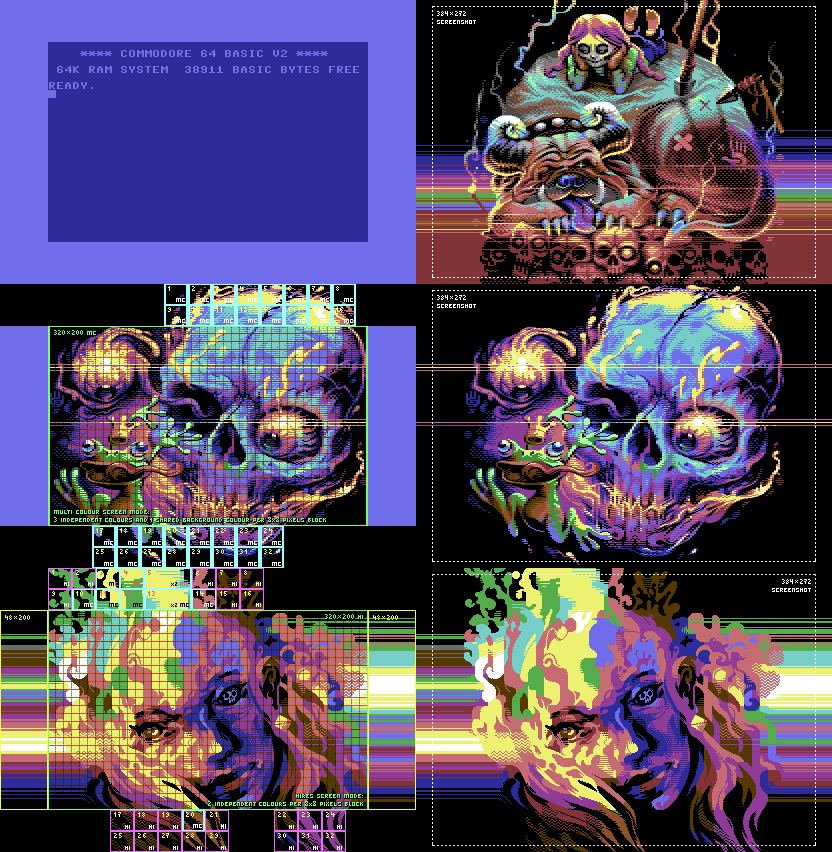
The fact is that almost any of the Commodore 64 images on this site simply wouldn’t be possible without a coder. Making use of the borders adds much needed resolution and as a result impact to images.
New painting programs like ALBERT can do border sprites without coding, but so far every image using a tool by Kakka has required some hand-tailoring. However, after half a dozen images major bugs have been ironed out, new features added and it’s now easier and faster to get a .prg file done.
Kakka/Extend^Accession^Damones gives a run down of his GitHub image tool.
– Everytime a new commit is pushed to GitHub, a GitHub Action is triggered that compiles the project in our Docker container and stores the resulting .prg in the GitHub Action artifacts. Sadly I haven’t implemented an automatic screenshot of the result yet, but plans exist to implement it in the future
– Converting the pixmap from PNG to importable format is done with C64img-Python script (Thanks Gryf/Elysium!) If there’s an error in the conversion, an image showing the bugs is added to the artifact zip-file.
Constructing the image in KickAssembler is done with a combination of KickAssembler built-ins (LoadBinary, LoadImage) and our custom macros:
– Sprites are defined in separate .png-files and are preprocessed by a macro that uses LoadImage to convert RGB PNG images to C64 palette. Then our custom macros take care of handling colors, sprite data, and sprite pointers. When new line of sprites is set up, it will remember the position and colors of the previous line and only update the changed parameters.
– Rasterbars for left and right borders are defined in separate .png-files and are preprocessed by a macro that converts RGB to C64 palette, creating separate color arrays for left and right borders. Then it’s only a matter of walking those arrays through in a macro producing the rasterbar assembly code with correct timings.
– There’s a simple Makefile that helps keep build process organized, so building the project is easy as running ‘make’ in the terminal. It handles cleaning up old builds, running the KickAssembler, and packaging the artifacts. Or, if you just want to see the image, you can run ‘make run’ to automatically build the project and open the resulting .prg in VICE emulator.

